BUILD
A place to start.
Give it a size, a material and a location.
/ai build a 7 by 7 oak cabin beside me. Leave other builds alone. DAVE’S HOUSEA MINECRAFT SERVER
LET’S PLAY
DAVE’S HOUSEA MINECRAFT SERVER
LET’S PLAY
A SHARED WORLD. A NEW WAY TO BUILD.
Build with friends. Ask the AI for a hand.
Turn an idea into something you can actually explore.
01 / GET CONNECTED
You need Minecraft Java Edition 26.3 on a computer, signed in with your usual Minecraft account. No extra mod, AI account or website login.
[AI] Your assistant is getting ready…
[AI] Send /ai <message> to talk to me.
> /ai hello
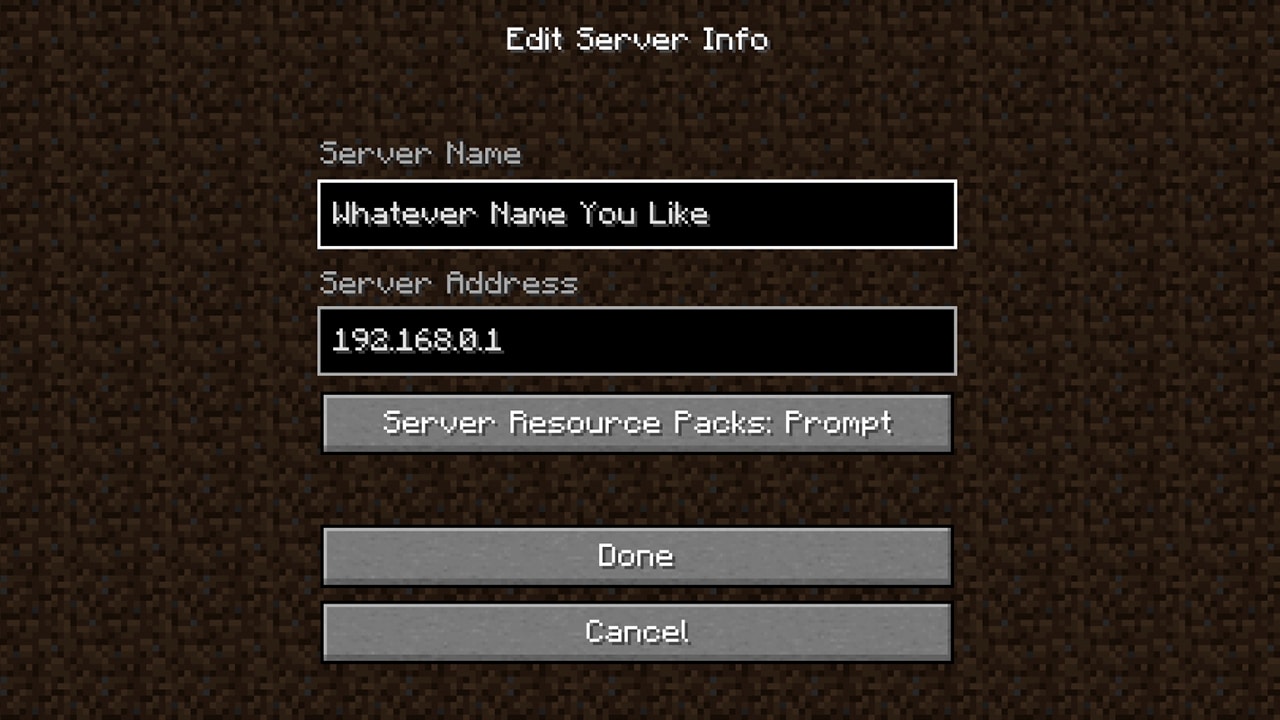
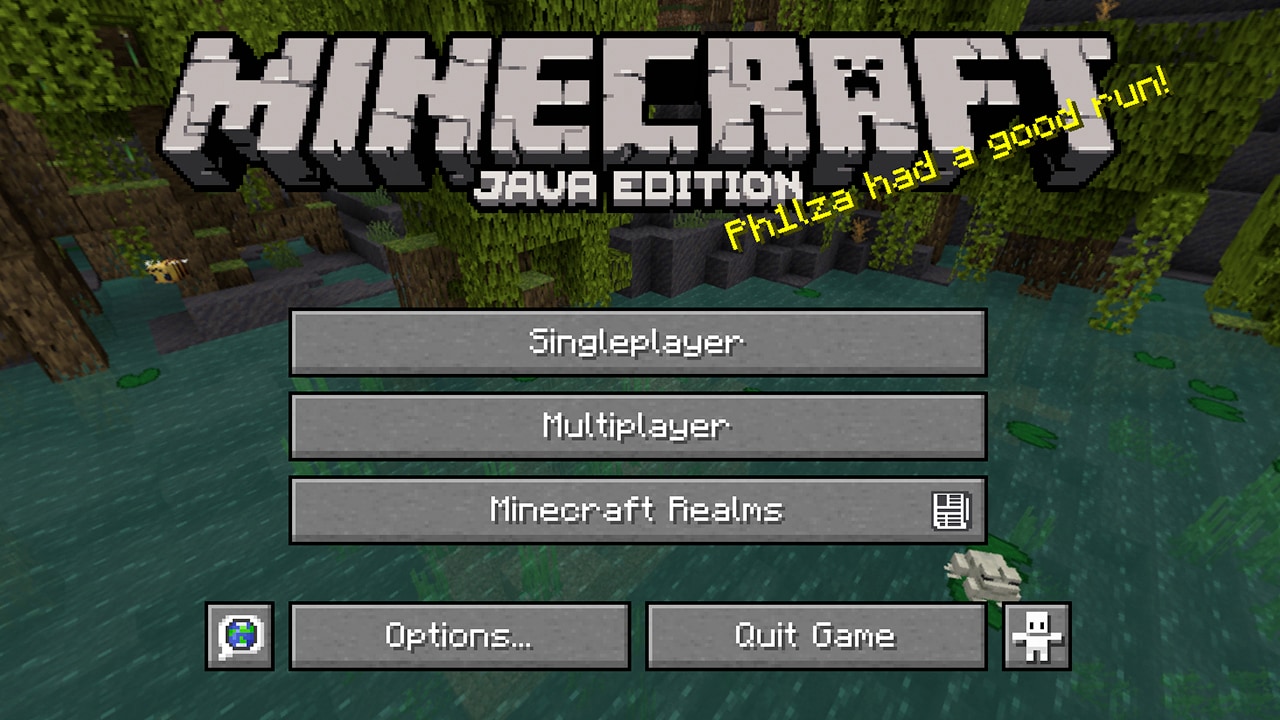
Reference screenshots from Minecraft’s official Java joining guide. Menus may look a little different in your version. These are menu references, not screenshots of this server.
Java Edition is the one you want. Bedrock Edition on phones, consoles or “Minecraft for Windows” cannot join this server directly.
02 / MEET YOUR ASSISTANT
Talk to the AI right inside Minecraft.
Press T, type /ai followed by your request, then press Enter. Use normal words. Describe what you want, where you want it, and any details that matter.
Your replies appear in your game chat.
Conversations are also published in the public AI history. You can also inspect AI commands and results. World changes can affect everyone.
An example conversation, not a live AI chat. Actual wording and timing will vary.
The AI receives your message.
Read its replies and progress.
Add details while it works.
03 / GIVE IT SOMETHING TO DO
Copy a prompt, open game chat and paste it. Small, specific requests are a good place to start.
Give it a size, a material and a location.
/ai build a 7 by 7 oak cabin beside me. Leave other builds alone.Time changes apply to the whole world.
/ai make it sunriseAsk for an explanation you can build from.
/ai explain how to build a simple item sorterSend this while your cabin is being built.
/ai add a glass roof to that cabin tooA question does not cancel the current task.
/ai how is it going?Stop the current task. This does not undo changes already made.
/ai stop05 / A FEW USEFUL ANSWERS
You don’t need to know server commands to get started. That’s what the conversation is for.
Minecraft’s official joining guideNo. Use Minecraft Java Edition 26.3 on your computer. The assistant runs on the server and replies in normal game chat. You do not need Fabric, a client mod, a separate AI account or an API key.
No. Sign in through your normal Minecraft Launcher account, then join using the server address. This website does not ask for your Minecraft password.
The server currently runs Java 26.3. In the Launcher, open Installations and choose that release. A different release, snapshot or Bedrock Edition may not connect.
Check that you’re using Java Edition and the address is exactly minecraft.daveshouse.xyz, with no spaces or https://. If those are right, the server may be restarting or the host computer may be asleep. Ask Dave to check. If multiplayer is disabled for your account, review your Microsoft/Xbox account’s multiplayer settings with whoever manages the account.
A follow-up message goes into your current conversation. The AI should answer, use the new detail and continue the task. Use /ai stop to explicitly cancel ongoing work. Stopping does not roll back changes it has already made.
Replies appear only in your game chat, but your requests and the AI’s replies, progress, commands and results are also visible to anyone on the public history page. Your /ai messages and relevant game context are sent to the AI service. Ordinary player chat is not forwarded or published here. Don’t include passwords or personal details.
The first connection and larger tasks can take a little while. Read the progress messages rather than sending the same request repeatedly. You can ask /ai how is it going?. Your conversation is associated with your player account and normally continues when you rejoin; reconnecting is not a request to stop.
Yes. It has access to Minecraft commands and can work on builds, world settings and server-side gameplay features. Describe the result you want. Some changes may require a restart and rejoin; it should tell you before that happens. A request is not a guarantee that every idea is possible.
THE NEXT BIT HAPPENS IN GAME.
minecraft.daveshouse.xyz